Running MediaPipe Face Mesh in UniFace, Pixel for Pixel
MediaPipe Face Mesh turns a 192×192 face crop into 468 dense 3D landmarks. It is the model family behind many face filters, virtual try-on systems, and expression-tracking demos.
The model itself is Google’s. What mediapipe-face-mesh-onnx adds is a way to run it on plain ONNX Runtime, with MediaPipe’s BlazeFace detector bundled so you do not need to provide a separate one. The same pair ships with UniFace v4.0.0.
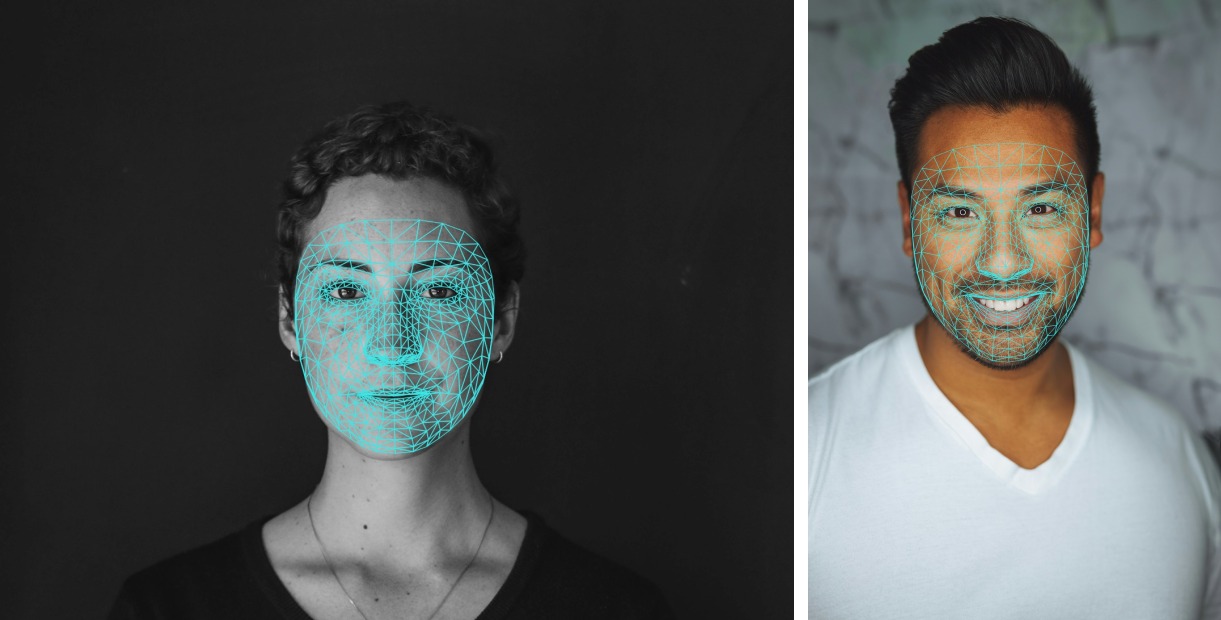
Key takeaways
- The full detect, crop, and mesh pipeline agrees with
mp.solutions.face_meshto about 0.03 px, or 0.01% of inter-ocular distance.- Everything fits in 2.9 MB of weights: 2.4 MB of mesh, 0.5 MB of BlazeFace. Every face in an image goes through one batched session call.
- The graph’s score output is a raw logit, typically 20 to 40. Do not threshold it as a probability.
Why Port It at All
MediaPipe already ships this model, so an ONNX port needs a reason.
The parity work here was run against mediapipe==0.10.14. Wheels up to 0.10.21 still carry the legacy mp.solutions API and the bundled face_landmark.tflite; from 0.10.30 onward both are gone. That matters if you are using a current MediaPipe release, targeting a platform without suitable MediaPipe wheels, or already running an ONNX Runtime stack where adding a second inference engine and its TFLite dependency chain is unnecessary overhead.
Parity With Original MediaPipe
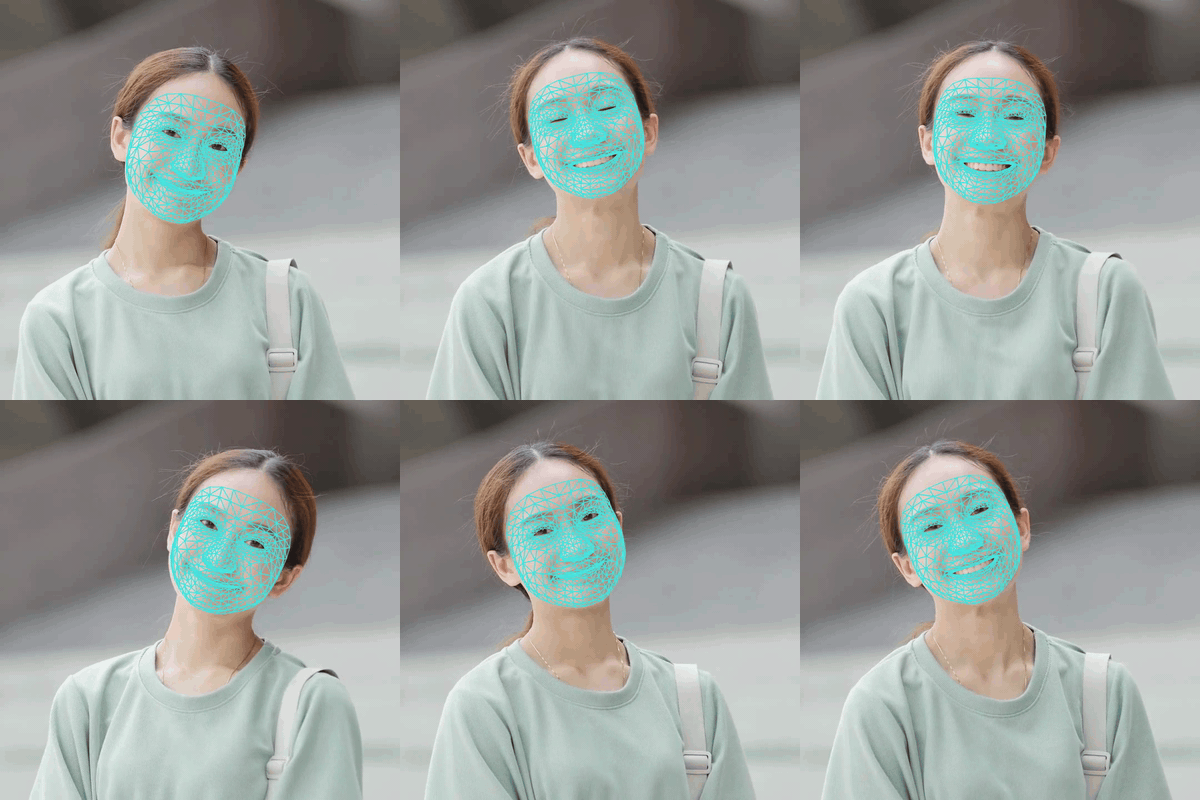
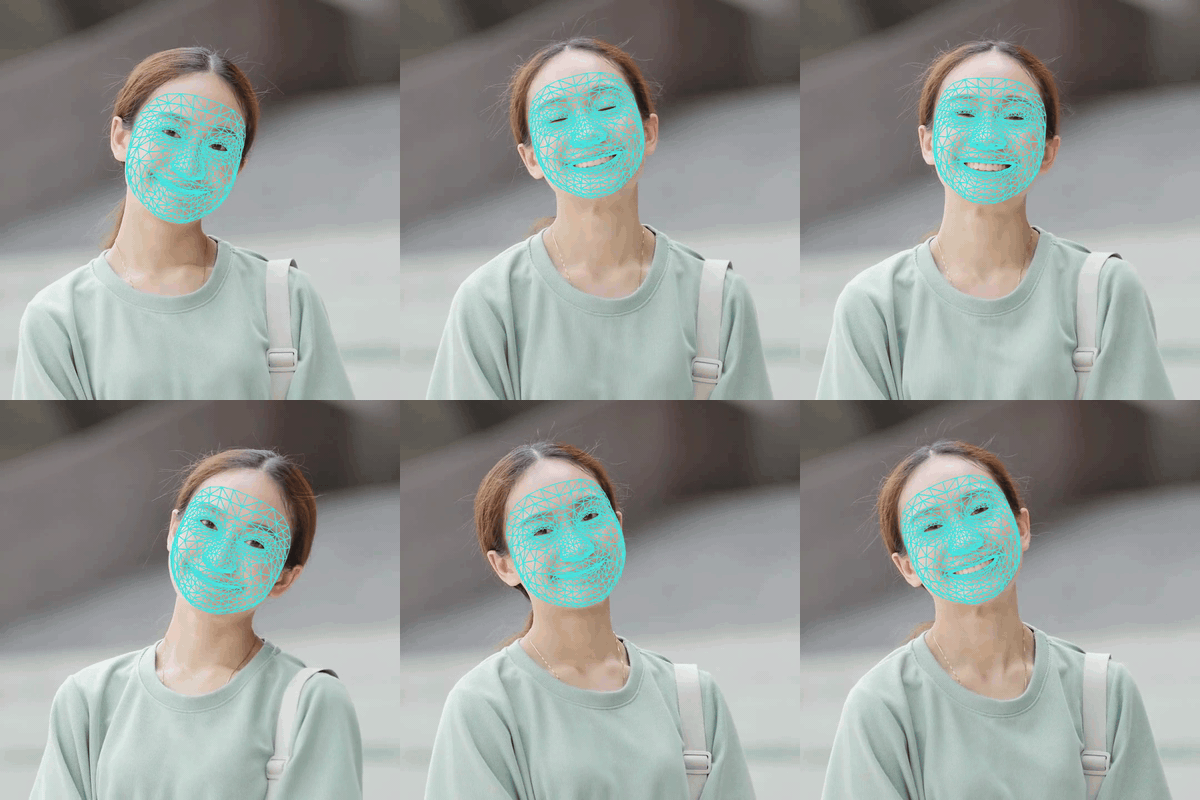
The same clip rendered by this port and by original MediaPipe:
| This port | Original MediaPipe |
 |
 |
| Comparison | Agreement |
|---|---|
Model level, against the original .tflite |
1e-4 px |
Full detect, crop, and mesh pipeline vs mp.solutions.face_mesh static mode |
~0.03 px (0.01% of inter-ocular distance) |
| PyTorch path vs ONNX path | ~6e-4 px |
Most of the remaining 0.03 px difference comes from crop geometry rather than the network itself.
Demo portraits come from Unsplash, the clip from Pixabay.
Where the Weights Come From
Both shipped ONNX files are produced by the repository’s own onnx_export.py, so the repo does not redistribute third-party ONNX files. The weights themselves are Google’s, and nothing was retrained. I read the tensors out of ONNX conversions of the .tflite models and loaded them into nn.Module definitions that follow those graphs layer by layer. For Face Mesh, the conversion was PINTO0309’s; for BlazeFace, it was a local tf2onnx run over the TFLite file inside the mediapipe==0.10.14 wheel. Google stores the weights as float16 inside the .tflite files. They are dequantized to float32 once when read, and nothing downstream quantizes them again.
Neither PyTorch module contains a BatchNorm layer. I verified this against the original .tflite files. They contain no normalization ops, because TFLite folds that computation into the surrounding convolution weights during export.
Using It in UniFace
FaceMesh is detector-agnostic. Pass it Face objects from any UniFace detector and the ROI is roll-normalized automatically:
import cv2
from uniface import SCRFD, FaceMesh

image = cv2.imread("photo.jpg")
detector, mesher = SCRFD(), FaceMesh()

faces = detector.detect(image)
results = mesher.predict(image, faces)   # one batched call for all faces

results[0].landmarks.shape   # (468, 3): x, y in image pixels; z is relative depth
results[0].points_2d.shape   # (468, 2): depth dropped
results[0].score             # face presence, [0, 1]
It implements the same interface as Landmark106 and PIPNet, so it fits code that already expects 2D landmark points. You can also skip the detector entirely:
landmarks = mesher.get_landmarks(image, face.bbox)   # (468, 2)
results = mesher.predict(image, bboxes=[[x1, y1, x2, y2]])
For MediaPipe’s exact output, seed it with BlazeFace, the detector MediaPipe uses internally:
from uniface import BlazeFace, FaceMesh

detector, mesher = BlazeFace(), FaceMesh()
results = mesher.predict(image, detector.detect(image))
Drawing offers three modes. mode='full' issues 2556 line draws per face, so prefer the others for video:
from uniface.draw import draw_mesh

draw_mesh(image, results[0].landmarks)                 # 'partial': contours + points
draw_mesh(image, results[0].landmarks, mode='full')    # dense 2556-edge tessellation
draw_mesh(image, results[0].landmarks, mode='points')  # points only
The Face Mesh notebook runs all of it end to end, and the UniFace overview covers the surrounding library.


Implementation Notes
The score is a logit: the network emits a raw presence score around 20 to 40 for any plausible face. FaceMesh applies the sigmoid, which means the returned value is almost always close to 1.0. Treat it as confirmation that the model ran. It is not a detector confidence score, so leave filtering to the detector.
Crop geometry is part of the model. MediaPipe’s ROI recipe builds a square region from the long side of the detector box scaled by 1.5 (margin=0.25), rotated so the eye keypoints sit level. The model trained on exactly that geometry, and tight, stretched, or tilted crops each measurably degrade the mesh.
BlazeFace keypoints are not alignment landmarks. The detector returns six MediaPipe keypoints whose fourth is a mouth center, not the 5-point template that recognition, quality scoring, and XSeg parsing consume. It declares supports_alignment = False, so FaceAnalyzer disables recognition with a warning instead of producing invalid embeddings.
Execution providers can introduce visible drift. While validating a pipeline change, I measured a consistent 0.5 px shift against the previous implementation. The difference came from comparing CoreML against CPU: FaceMesh auto-selects CoreML on Apple Silicon, and comparing across execution providers introduced that drift by itself. On matched providers, the same comparison came out at 6e-5 px.
Roll changes the mesh shape, and MediaPipe behaves the same way. Rotate a face 15 to 30 degrees and mesh height drops about 3% relative to inter-ocular distance. I initially suspected the ROI handling, so I ran both implementations on synthetically rotated faces at 0, 15, 30, and 45 degrees. Height, width, and aspect ratios matched at every angle. The sensitivity comes from Google’s model, so correcting it locally would diverge from MediaPipe rather than improve parity.
Limitations
Each face gets a single forward pass, matching MediaPipe’s static-image flow. MediaPipe’s graph configs explain why: the landmarks_to_roi step feeds the next video frame through a loopback calculator rather than running a second pass over the same image. roi_from_box and warp_roi are public if you want to build frame-to-frame tracking on top.
The default is the classic 468-point model, without irises. If you need them, FaceMesh(model_name=FaceMeshWeights.V2_478) loads MediaPipe’s newer Face Landmarker, which appends ten iris points to the same mesh at roughly three times the compute. Blendshapes are not included in either. The z coordinate is relative depth on the same pixel scale as x and y, and it is only comparable within a single face.
FAQ
How close is this to real MediaPipe?
The full detect, crop, and mesh pipeline agrees with
mp.solutions.face_meshin static mode to roughly 0.03 px, which is 0.01% of inter-ocular distance. At the model level, against the original.tflite, agreement is 1e-4 px. I ran the comparison againstmediapipe==0.10.14.
Do I need MediaPipe installed to use it?
No. The ONNX pipeline needs only ONNX Runtime and OpenCV, and never imports TensorFlow, TFLite, or MediaPipe. I used MediaPipe purely to verify parity. The optional PyTorch path is the one part that wants
torch.
Does it include iris landmarks or blendshapes?
Irises, optionally. The default is the classic 468-point mesh; the
FaceMeshWeights.V2_478weights load MediaPipe’s Face Landmarker, which adds ten iris points. Blendshapes come from a separate MediaPipe model and are not included.
Related
- UniFace: A Unified Face Analysis Library for Python — the library this ships in, alongside detection, recognition, and parsing.
- RetinaFace: Single-Stage Face Detection in PyTorch — a stronger general-purpose detector to seed the mesh with when MediaPipe parity is not the goal.
- Face Parsing with BiSeNet and ResNet Backbones — dense per-pixel regions, the segmentation counterpart to a dense landmark mesh.