Eye, Glasses, and Mask Detection: FaceAttribNet in UniFace
FaceAttribNet predicts five face attributes from a single 128×128 crop: whether each eye is open, and whether the person is wearing eyeglasses, sunglasses, or a mask. Qualcomm published the original implementation as Facial-Attribute-Detection in its AI Hub Models collection. There is no accompanying paper, but the released 10.84M-parameter checkpoint is compact and useful in practical face-analysis pipelines.
Qualcomm’s checkpoint is used as released. github.com/yakhyo/face-attribute wraps it with an ONNX export and ONNX Runtime inference, and the model now ships with UniFace v4.0.0.
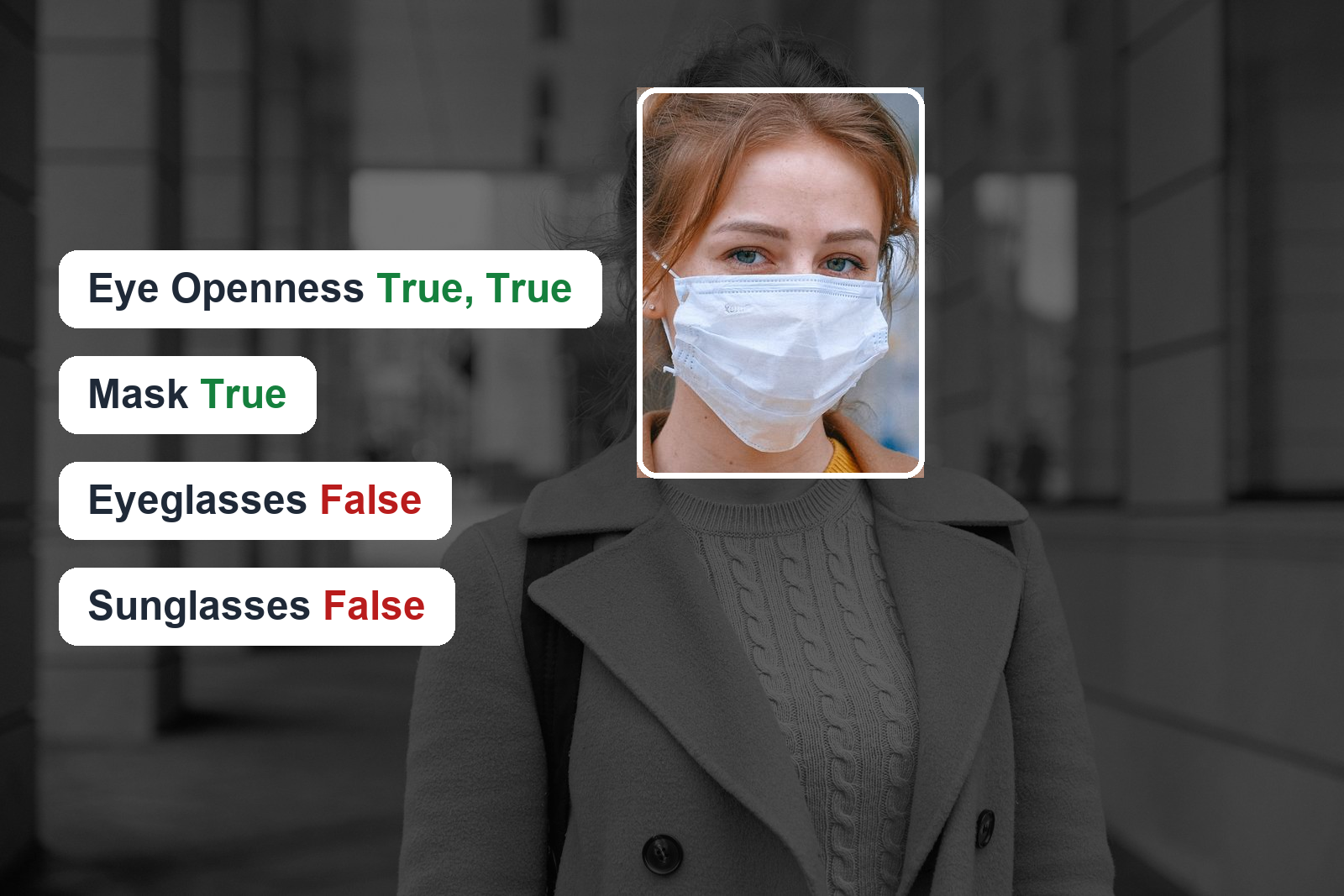
Key takeaways
- Five independent binary heads, not one 5-way softmax. Probabilities do not sum to 1, and several can be active at once.
- Mean/std normalization is baked into the ONNX graph. Preprocessing is a letterbox resize to 128×128 and a scale to
[0, 1], nothing more.- In UniFace,
FaceAttribNet().predict(image, face)returns aFaceStateResultand writes the attributes back onto theFace.
The Multi-Label Trap
The output can look like a five-class classifier at first glance, which makes argmax tempting. That would be the wrong interpretation.
Each value comes from its own binary classifier head with its own sigmoid. They answer five separate yes/no questions about the same crop:
left_eye_open right_eye_open eyeglasses mask sunglasses
Nothing constrains the outputs to sum to 1. A person can wear sunglasses and a mask at the same time, and both heads can activate independently. argmax picks one attribute and silently discards the rest. Threshold each attribute on its own:
result.labels(threshold=0.5) # ['left_eye_open', 'right_eye_open', 'eyeglasses']
Tinted sunglasses make this concrete. In one test image, the model reported sunglasses at 0.993 while still classifying both eyes as open. That is not a contradiction: the lenses are light enough to see through, so both predictions can be correct. A single-label formulation cannot express that relationship.
Example Results
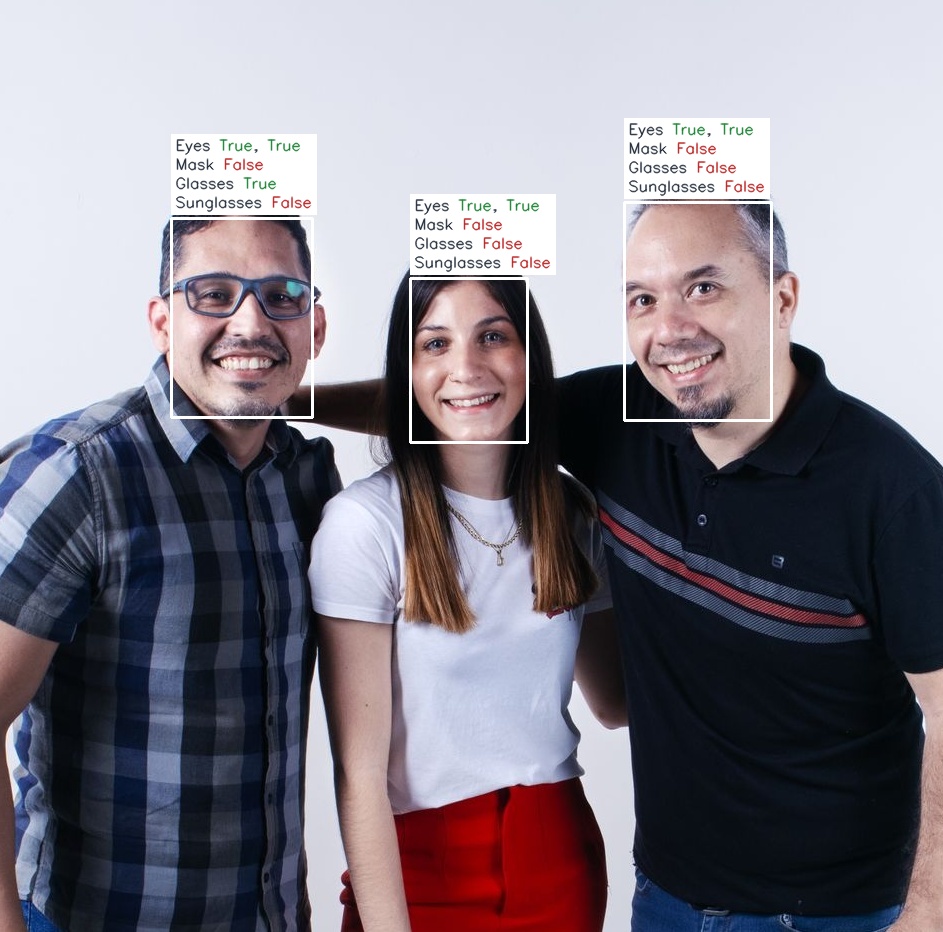
Attributes above a 0.5 threshold, predicted per face.
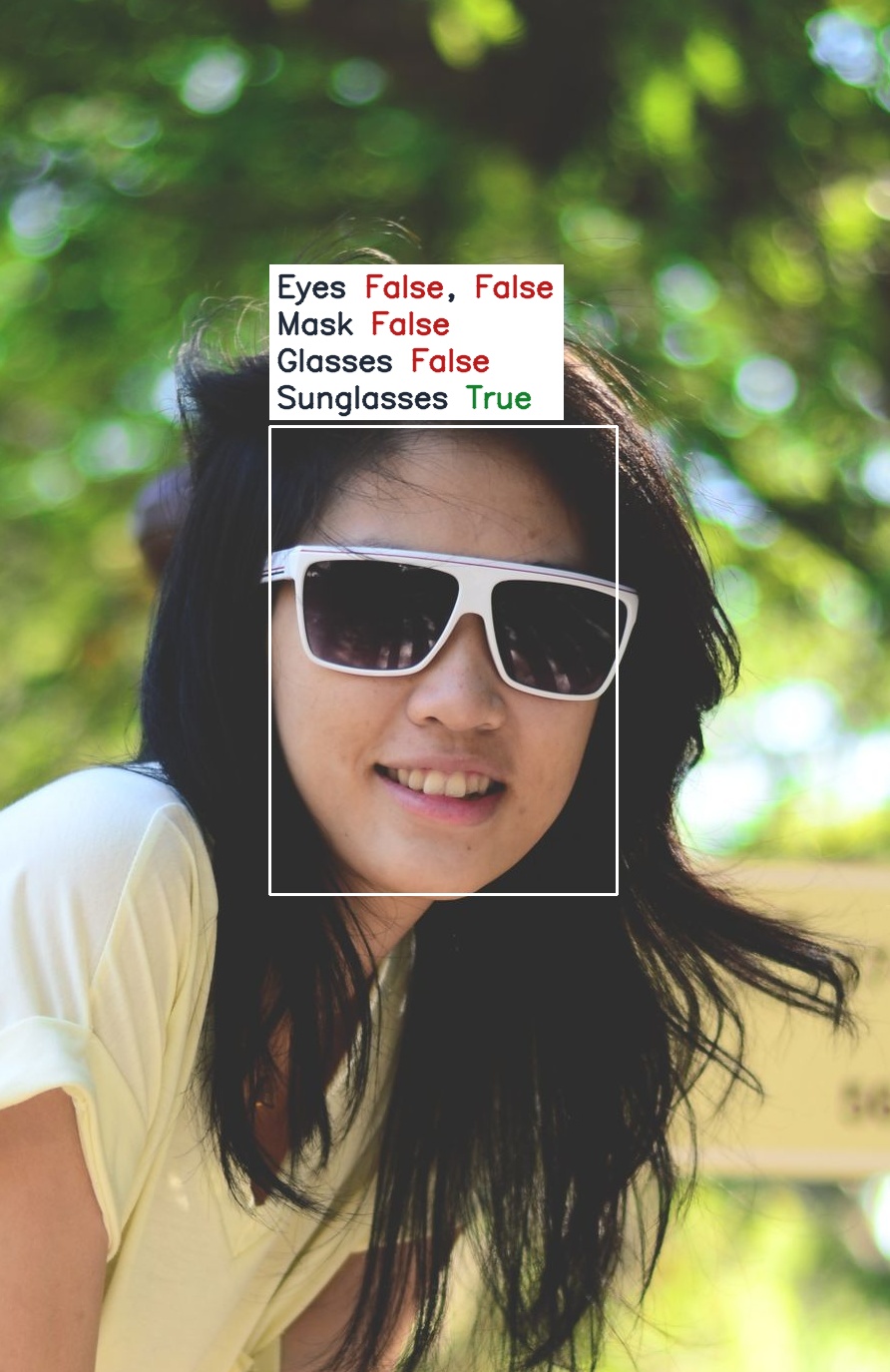
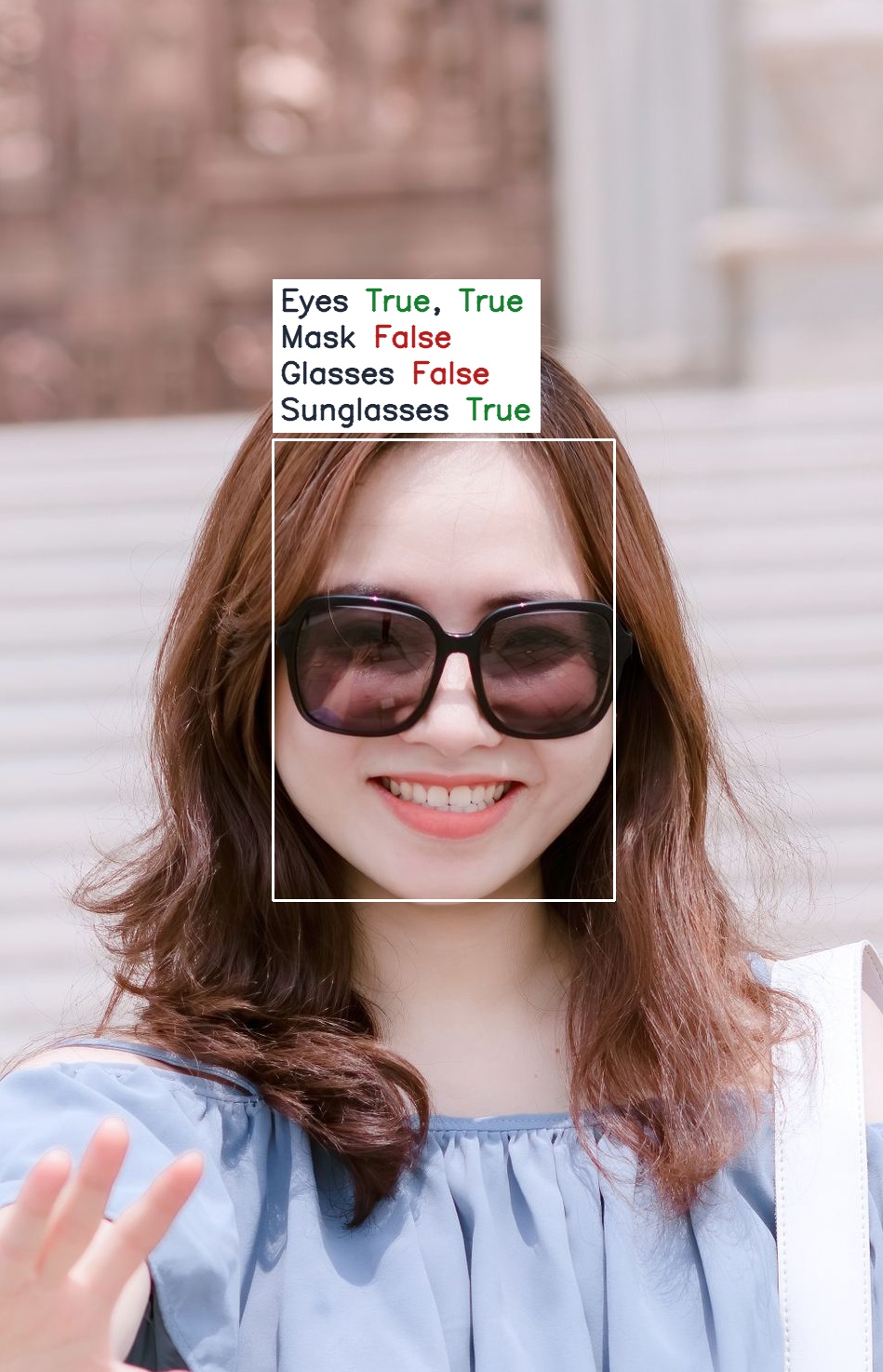
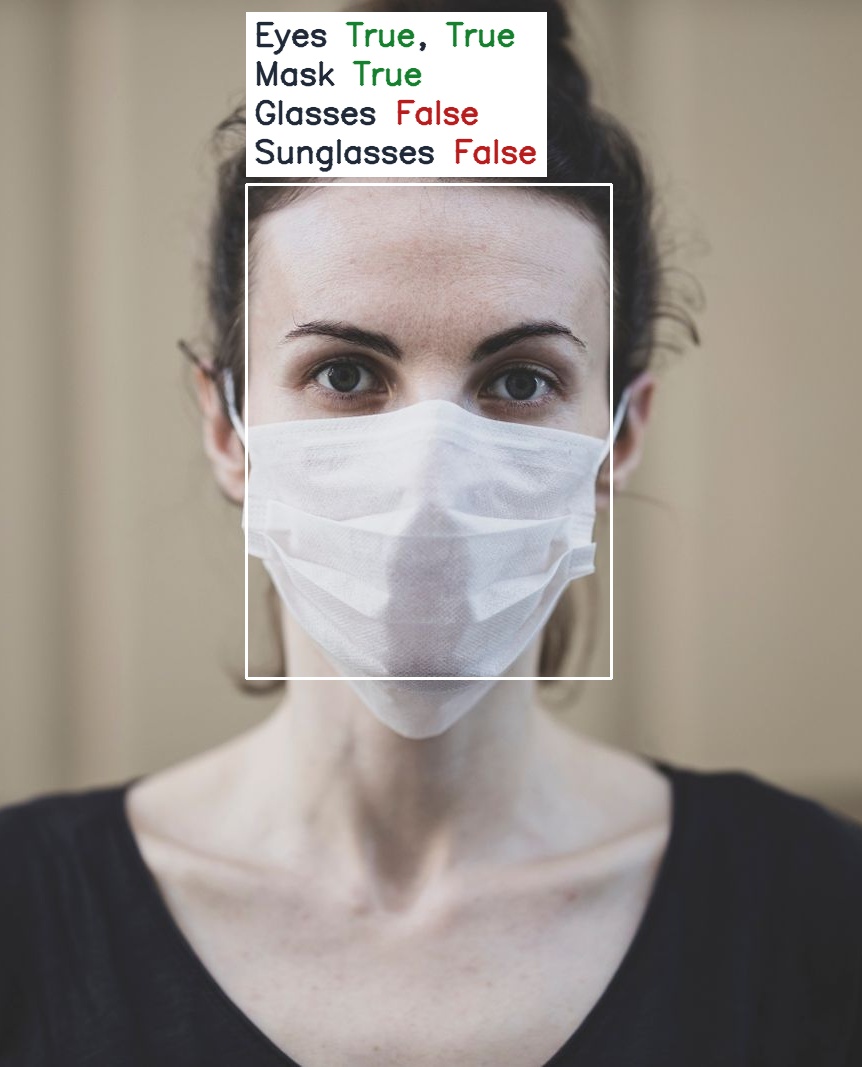
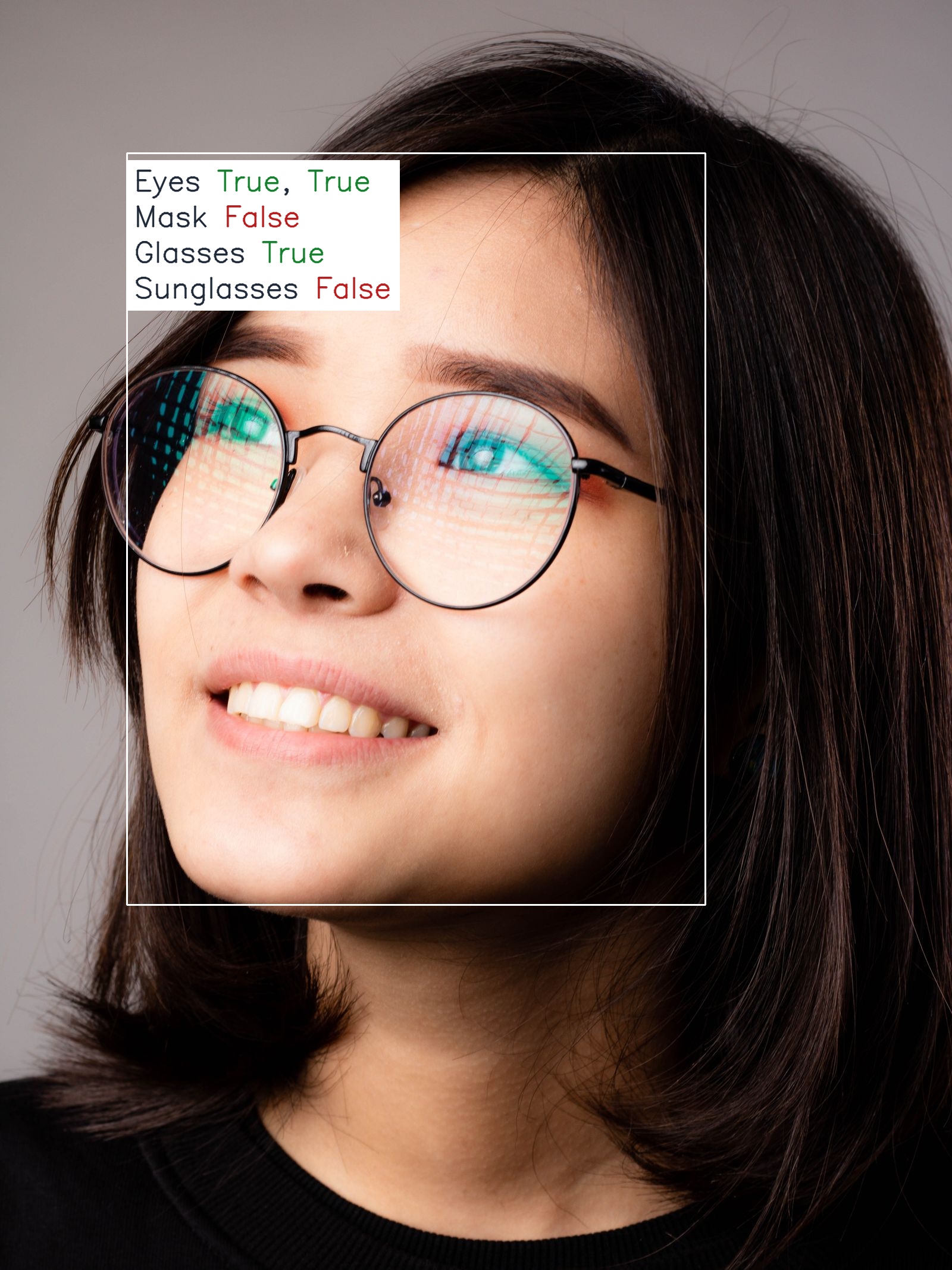
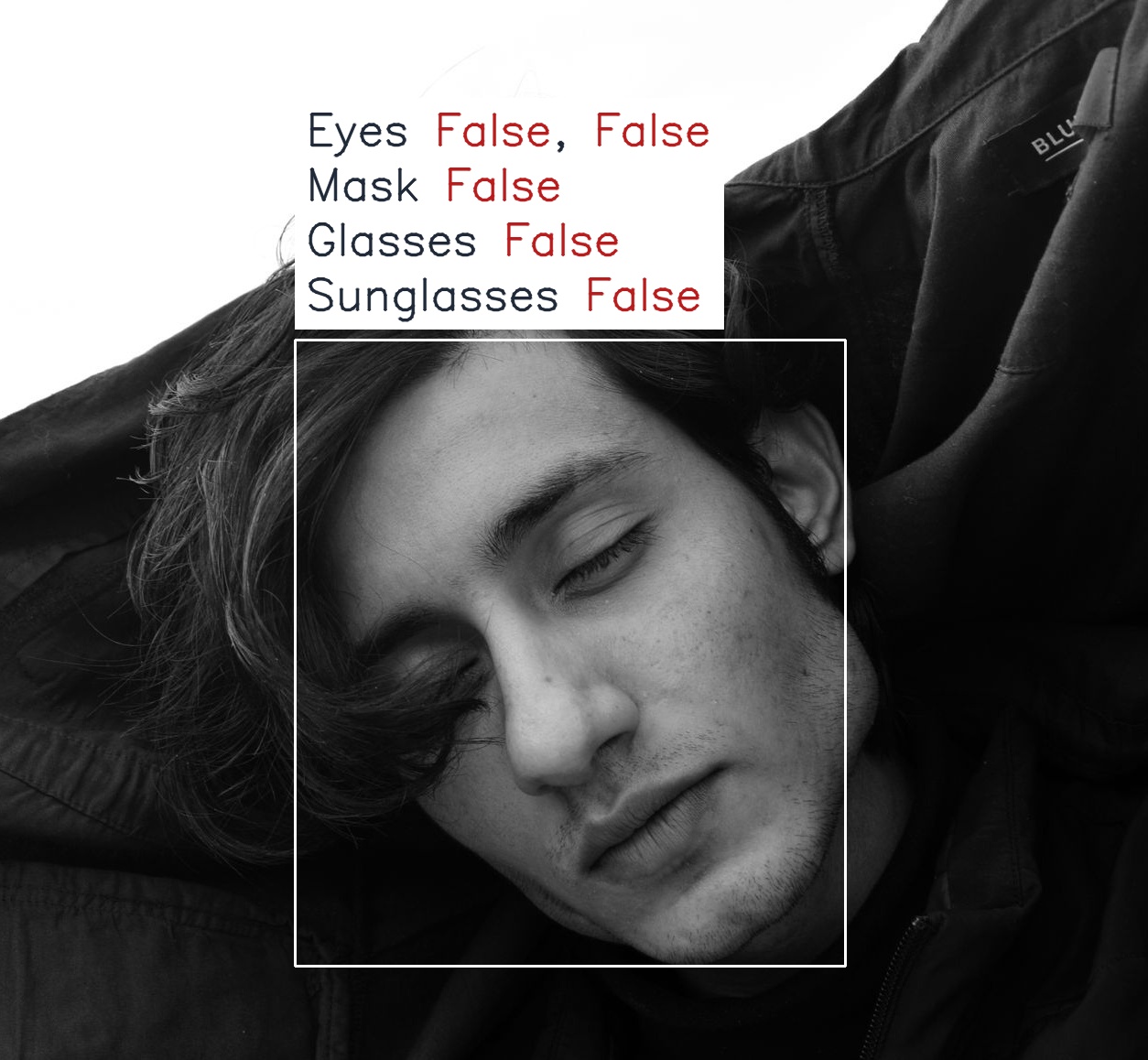
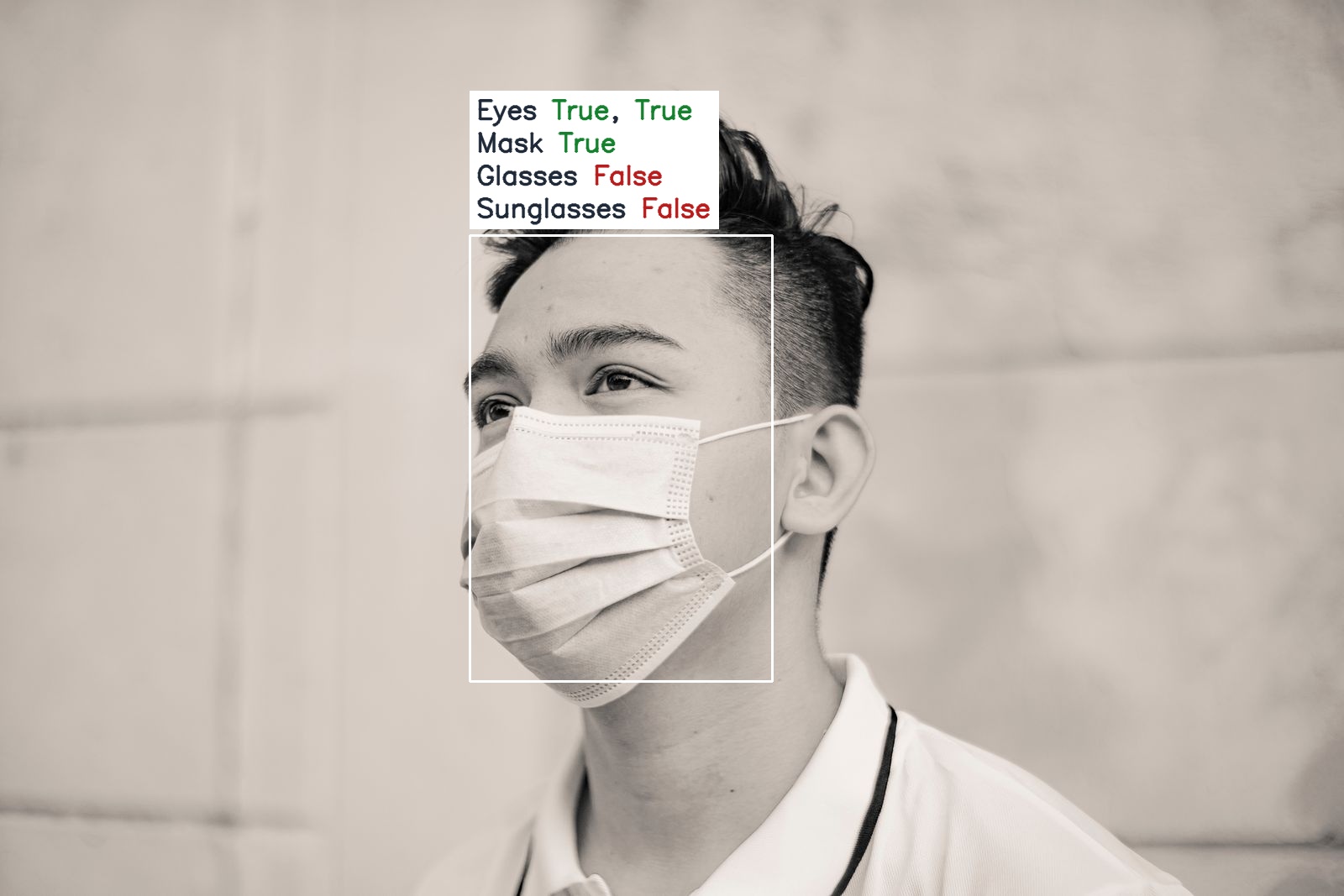
Inference runs per face, so a group photo yields one independent result per detection. Only the person on the left triggers eyeglasses, at 0.893:
Test photos are free-license images from Pexels.
Model
| Property | Value |
|---|---|
| Parameters | 10.84M |
| Input | 128×128 RGB face crop |
| Outputs | 5 independent probabilities in [0, 1] |
| ONNX size | ~41 MB |
| Training data | Proprietary (Qualcomm) |
| Weights license | BSD-3-Clause, © Qualcomm Technologies, Inc. |
The standalone repository keeps Qualcomm’s .pt checkpoint unmodified and adds an ONNX re-export at opset 17 with a dynamic batch dimension. The export script checks its output against the PyTorch reference as it runs, and the two agree to float32 noise.
Using It in UniFace
Attribute models need a bounding box, so pair this one with any detector:
import cv2
from uniface.attribute import FaceAttribNet
from uniface.detection import RetinaFace

image = cv2.imread("photo.jpg")

detector = RetinaFace()
face_attrib = FaceAttribNet()

for face in detector.detect(image):
    result = face_attrib.predict(image, face)
    print(result.as_dict())              # {'left_eye_open': 0.99, 'eyeglasses': 0.98, ...}
    print(result.labels(threshold=0.5))  # ['left_eye_open', 'right_eye_open', 'eyeglasses']
predict returns a FaceStateResult and also writes the values onto the Face, so face.eyeglasses, face.mask, face.sunglasses, and both eye fields are populated afterward.
For a full pipeline, pass it to FaceAnalyzer alongside any other attribute model:
from uniface import AgeGender, FaceAnalyzer, FaceAttribNet, RetinaFace

analyzer = FaceAnalyzer(detector=RetinaFace(), predictors=[AgeGender(), FaceAttribNet()])

for face in analyzer.analyze(image):
    print(face.bbox, face.sex, face.age, face.eyeglasses, face.mask)
The Face Attributes notebook runs it end to end, and the UniFace overview covers the surrounding library.


Preprocessing
Preprocessing is short: resize the crop to 128×128 with an aspect-preserving centered letterbox, convert to RGB, and scale to [0, 1].
Mean/std normalization is already part of the model graph. Applying it again in your own preprocessing will not usually cause an obvious failure: outputs stay inside [0, 1] and still look like plausible probabilities. The symptom is more subtle: thresholds that work on one image stop transferring reliably to the next.
Standalone Usage
If you want the model without the rest of UniFace, face-attribute includes PyTorch inference, ONNX export, and ONNX Runtime inference. Detection and cropping are handled by the scripts, so you can pass whole images:
python onnx_inference.py assets/test_images/group.jpg
python onnx_inference.py assets/test_images/*.jpg --save-dir assets/results
python onnx_inference.py 0                        # webcam; q or ESC quits
Where It Is Useful
Five binary flags are a small signal set, but they are useful early in a pipeline, before more expensive models run. Common uses include rejecting enrollment frames where the eyes are closed or the face is occluded, flagging drowsiness from sustained low eye openness, or explaining a low recognition similarity that would otherwise be hard to diagnose.
FAQ
Why can’t I use
argmaxon the five outputs?Each of the five outputs comes from its own binary head with its own sigmoid, and no softmax ties them together. The values do not sum to 1, and several can be high at once, since a face can wear both sunglasses and a mask.
argmaxreports one attribute and discards the rest. Threshold each value separately instead.
Do I need a separate face detector?
Yes. FaceAttribNet consumes a 128×128 face crop, which something upstream has to produce. Inside UniFace, pair it with RetinaFace, SCRFD, or any other detector. The standalone scripts run detection and cropping for you, so they accept whole images.
Can I ship a commercial product with these weights?
Yes. They are BSD-3-Clause, copyright Qualcomm Technologies, Inc., which permits commercial use. Keep the copyright notice and license text with any redistribution, and do not use Qualcomm’s name to endorse your product. Not every UniFace model is this permissive: the YOLOv5-Face and YOLOv8-Face weights are GPL-3.0.
Related
- UniFace: A Unified Face Analysis Library for Python — the library this model ships in, alongside detection, recognition, and parsing.
- RetinaFace: Single-Stage Face Detection in PyTorch — the detection step that produces the crops this model consumes.
- Face Parsing with BiSeNet and ResNet Backbones — dense per-pixel face regions, for when a binary occlusion flag is not enough.